


Videos
-
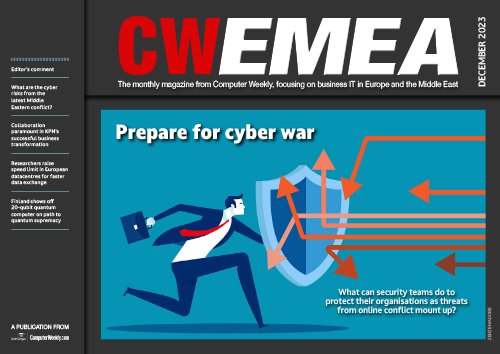 In The Current Issue:
- What are the cyber risks from the latest Middle Eastern conflict?
- Collaboration paramount in KPN’s successful business transformation
-
Diversity in tech 2023: Bev White, Nash Squared
In this video from Computer Weekly’s annual diversity in tech event, in partnership with Nash Squared and sponsored by NatWest, Bev White, CEO of Nash Squared, talks about the challenges the tech sector faces when it comes to increasing diversity and inclusion.
-
Suki Fuller, most influential woman in UK tech 2023, winner’s speech
In this video from Computer Weekly’s annual diversity in tech event, in partnership with Nash Squared, Suki Fuller, gives her acceptance speech as the 2023 Most Influential Woman in UK Tech.

-
Diversity in tech 2022: Explaining employee resource groups
In this video from Computer Weekly’s annual diversity event, in partnership with Nash Squared, panel members discuss employee resource groups (ERGs), what they are, why they are needed, and how to support them.
-
Diversity in tech 2022: Mehdi Mobayen-Rahni, Tyl by NatWest
In this video from Computer Weekly’s annual diversity event, in partnership with Nash Squared, Mehdi Mobayen-Rahni, chief technology officer of Tyl by NatWest, reflects on the progress of diversity and inclusion initiatives over the last few years, and how we can progress.
-
Diversity in tech 2022: Kerensa Jennings, BT
In this video from Computer Weekly’s annual diversity event, in partnership with Nash Squared, Kerensa Jennings, group director of data platforms at BT, talks about how diversity within an organisation, and the difference of thoughts that brings, can be very beneficial for businesses.
-
Diversity in tech 2022: Joel Gujral, Myndup
In this video from Computer Weekly’s annual diversity event, in partnership with Nash Squared, Joel Gujral, founder and CEO of Myndup, talks about how workplaces can support neurodivergent people in the workplace.
-
Diversity in tech 2022: Jen Tippin, NatWest Group
In this video from Computer Weekly’s annual diversity event, in partnership with Nash Squared, Jen Tippin, group chief people and transformation officer at NatWest Group, talks about why diversity in business is important, especially in the tech sector.
-
Diversity in tech 2022: Bev White, Nash Squared
In this video from Computer Weekly’s annual diversity event, in partnership with Nash Squared, Bev White, CEO of Nash Squared, talks about how the number of women in tech reached its highest in the last year.
-
Flavilla Fongang, most influential woman in UK tech 2022, winner's speech
In this video from Computer Weekly’s annual diversity in tech event, in partnership with Nash Squared, Flavilla Fongang, founder of 3 Colours Rule and GTA Black Women in Tech, gives her acceptance speech as the 2022 Most Influential Woman in UK Tech
-
The rise and rise of blockchain technology
The growing use of blockchain across Asia-Pacific is set to continue, with spending on the technology slated to hit $2.4bn this year, according to IDC
-
How Twilio is empowering women in tech
Ashwini Gillen, regional vice-president of sales at Twilio, talks up the highlights in her career and how Twilio is supporting women
-
Lifelong learning critical for tech’s future – Jacqueline de Rojas
In this video from Computer Weekly’s annual diversity and inclusion in tech event, in partnership with Spinks, president of TechUK, Jacqueline de Rojas, talks about how as the tech sector continues to grow at a rapid pace, a focus should be put upon continuous skills development for people of all ages and professions across the UK
-
Inclusion, tech and the pandemic – Bev White
In this video from Computer Weekly’s annual diversity and inclusion in tech event, in partnership with Spinks, CEO of Harvey Nash, Bev White, talks about the affect the pandemic has had on inclusion in the tech sector
-
Tech talent is critical - Amali de Alwis
In this video from Computer Weekly’s annual diversity and inclusion in tech event, in partnership with Spinks, CEO of Subak, Amali de Alwis, talks about both the good and bad outcomes of the pandemic when it comes to the technology sector, as well as how we advance into the future
-
Diversity and inclusion in tech: has gender been left behind?
In this video from Computer Weekly’s annual diversity and inclusion in tech event, in partnership with Spinks, panel members discuss how to achieve gender diversity in the UK’s tech sector in the light of the negative impacts of the pandemic
-
Diversity and inclusion in tech: the next 10 years
In this video from Computer Weekly’s annual diversity and inclusion in tech event, in partnership with Spinks, panel members discuss the last 10 years of D&I in UK technology, how it has progressed, and how we ensure improvement in the 10 years to come
-
Poppy Gustafsson, most influential woman in UK tech 2021 - winner’s speech
In this video from Computer Weekly’s annual diversity event, in partnership with Spinks, Poppy Gustafsson, CEO of Darktrace, gives her acceptance speech as the 2021 Most Influential Woman in UK Tech
-
Empowering APAC women on the frontlines of cyber security
In this webinar, we discuss the issues facing women in cyber security, the challenges of breaking into the field and why it’s important to close the gender gap
-
Inside nib’s digital transformation journey
In this video interview with Computer Weekly, Brendan Mills, CIO of nib, talks about the insurance company’s digital transformation strategy
-
UKtech50 2021: Panel 2- Making innovation count
A panel of experts at the at the UKtech50 2021 event discuss how the pandemic has challenged our approach to innovation
-
UKtech50 2021: Panel 1 - Digital leadership
A panel of experts at the UKtech50 2021 event discuss what makes a good digital leader
-
UKtech50 2021: Bev White, CEO Harvey Nash Group
Presentation made by Bev White, CEO Harvey Nash Group, at the UKtech50 2021 event UKtech50 2021
-
UKtech50 2021: Alison Davis, CIO, Natural History Museum
Presentation made by Alison Davis, CIO, Natural History Museum at the UKtech50 2021 event
-
UKtech50 2021: Ash Jokhoo, CDIO, Virgin Atlantic
Presentation made by Virgin Atlantic's Ash Jokhoo, at the UKtech50 2021 event
-
UKtech50 2021: Belinda Finch, CIO, Three
Presentation made by Belinda Finch, CIO of Three at the UKtech50 2021 event
-
UKtech50 2021: John Fitzpatrick, director for digital enablement, MoD
Presentation made by John Fitzpatrick from the UK MoD, at the UKtech50 2021 event
-
UKtech50 2021: John Hobson, VP & CIO, Kellogg Europe
Presentation made by Kellogg Europe's John Hobson at the UKtech50 2021 event
-
UKtech50 2021: Kash Ghedia, CIO, Welcome Break
Presentation made by Welcome Break CIO, Kash Ghedia, at the UKtech50 2021 event
-
UKtech50 2021: Paul Neville, corporate director of digital and ICT, Waltham Forest
Presentation made by Paul Neville from London Borough of Waltham Forest at the UKtech50 2021 event
-
UKtech50 2021: Phil Gosset, head of innovation, Nationwide Building Society
Presentation made by Nationwide's Phil Gosset at the UKtech50 2021 event
-
Sarah Wilkinson, most influential person in UK tech 2021 – winner’s speech
In this video from Computer Weekly’s annual UKtech50 event, in partnership with Spinks, Sarah Wilkinson, CEO of NHS Digital, gives her acceptance speech as the 2021 most influential person in UK tech
-
Diversity and inclusion in tech: The pandemic and the pay gap
In this video from Computer Weekly’s annual diversity and inclusion in tech event, in partnership with Spinks, Suki Fuller, founder of Miribure and co-lead of TLA Women in Tech, discusses the gender pay gap in the context of a pandemic world, alongside a panel of experts
-
Diversity and inclusion in tech: What is neurodiversity?
In this video from Computer Weekly’s annual diversity and inclusion in tech event, in partnership with Spinks, Rachel Morgan-Trimmer, neurodiversity coach and consultant, talks about neurodiversity.
-
Diversity and inclusion in tech: How to be an effective ally
In this video from Computer Weekly’s annual diversity and inclusion in tech event, in partnership with Spinks, a panel discusses how to be an effective ally and support others at work.
-
Being LGBTQ+ in science and tech – Alfredo Carpineti
In this video from Computer Weekly’s annual diversity and inclusion in tech event, in partnership with Spinks, Alfredo Carpineti, founder of charitable trust Pride in STEM, talks about some of the difficulties faced by people from the LGBTQ+ community in the science, technology, engineering and maths (STEM) sectors, and highlights some small things we can all do to act as allies for others.
-
How to practice better allyship – Suzanne McGovern
In this video from Computer Weekly’s annual diversity and inclusion in tech event, in partnership with Spinks, Suzanne McGovern, head of diversity, equity and inclusion at Splunk, discusses how to practice better allyship, explaining why it’s important to have allyship within a business and giving practical tips on how individuals can start supporting minority groups in the workplace.
-
Advocacy and allyship - Dame Stephanie Shirley
In this video from Computer Weekly’s annual diversity and inclusion in tech event, in partnership with Spinks, philanthropist and IT entrepreneur, Dame Stephanie “Steve” Shirley, talks about how the position of women in the tech space has changed throughout her career, and how to practice allyship for under-represented groups in the UK’s tech sector
-
Supporting black people in the UK tech sector - Ronda Zelezny-Green
In this video from Computer Weekly’s annual diversity and inclusion in tech event, in partnership with Spinks, Ronda Zelezny-Green, global head of training and e-learning at the Internet Society, talks about supporting black people in the tech sector at a time where there has been a focus on racial awakening
-
Diversity and inclusion in tech: supporting mental health
In this video from Computer Weekly’s annual diversity and inclusion in tech event, in partnership with Spinks, a panel discuss how to support people’s mental health in the tech-driven workplace.
-
Anne-Marie Imafidon, most influential woman in UK tech 2020 - winner’s speech
In this video from Computer Weekly’s annual diversity event, in partnership with Spinks, Anne-Marie Imafidon, CEO of Stemettes, gives her acceptance speech as the 2020 Most Influential Woman in UK Tech
-
Debbie Forster, most influential woman in UK tech 2019 - winner’s speech
In this video of Computer Weekly’s annual diversity event Debbie Forster, CEO of the Tech Talent Charter, gives her acceptance speech as the 2019 Most Influential Woman in UK Tech
-
How Zoom is keeping pace with demand for conferencing tools
Magnus Falk, CIO advisor at Zoom, offers insights on how the company is scaling up its resources to meet the growing usage of its service
-
CW500 Interview: Jonathan Moreira, CTO of PrimaryBid.com
In this CW500 video, Jonathan Moreira, CTO of PrimaryBid.com, gives a fintech startup’s perspective on the security challenges small businesses can face when adopting new technologies.
-
CW500 Interview: Paddy Francis, CTO, Airbus CyberSecurity
In this CW500 video, Paddy Francis, CTO, Airbus CyberSecurity shares his advice and experiences of keeping tabs on security when trying to introduce emerging digital technologies into large organisations.
-
How DBS Bank is tapping data analytics to improve customer service
DBS Bank’s managing director & head of consumer banking and big data analytics technology talks up the bank’s data analytics initiatives and how it is fostering a data-driven culture
-
CW500 Interview: Jonathan Midgley discusses artificial intelligence (AI)
Jonathan Midgley, director of engineering at Trainline, talks about artificial intelligence (AI) and its impact on businesses
-
CW500 Interview: Daniel Hulme discusses artificial intelligence (AI)
Daniel Hulme, CEO of Satalia and director of University College London’s business analytics MSc, talks about artificial intelligence (AI) and its impact on businesses
-
Inside MyRepublic’s digital transformation journey
MyRepublic’s group CIO and chief operating officer talks up the company’s digital transformation journey and how it has overcome challenges that stood in its way
-
CW500 Interview: Mattie Yeta, sustainability lead, Defra
In this CW500 club video, Mattie Yeta, sustainability lead, Defra talks about Ethics and sustainability in IT and what this means to IT leaders
-
CW500 Interview: Nadine Thomson, digital technology consultant and advisor, News UK
Nadine Thomson, digital technology consultant and advisor, News UK, talks about ethics and sustainability in IT and what this means to IT leaders
-
CW500 Interview: Roger Taylor, chair of the Centre for Data Ethics and Innovation
Roger Taylor, chair of the Centre for Data Ethics and Innovation, talks about the importance of standards and regulation when developing AI systems, and why businesses should start thinking of these things now
-
Delivering Diversity in Technology: What does inclusion mean to you?
In this panel a group of people from all backgrounds and walks to life discuss what inclusion means to them in an organisation
-
Delivering Diversity in Technology: startup panel
How can we help female entrepreneurs successfully grow and scale their businesses?
-
Delivering Diversity in Technology: Emily Forbes, Seenit
A video presentation given by Emily Forbes, founder & CEO, Seenit
-
Delivering Diversity in Technology: Jess Wade, Imperial College
A video of the presentation given by Jess Wade, postdoctoral research associate in the Department of Physics, Imperial College London
-
Amali de Alwis, most influential woman in UK IT 2018 - winner’s speech
Amali de Alwis received the accolade of Most Influential Woman in UK Technology 2018, due to her work as CEO of not-for-profit Code First: Girls
-
CW500 interview: Boris Spremo discusses blockchain
Boris Spremo, head of operations at Trustology speaks about what blockchain really means for IT leaders
-
CW500 interview: Mirka Skrzypczak discusses blockchain
Mirka Skrzypczak, head of working capital & trade products at Royal Bank of Scotland speaks about what blockchain really means for IT leaders
-
CW500 interview: Carlo Del Mistro discusses blockchain
Carlo Del Mistro, head of innovation at Premier Inn speaks about what blockchain really means for IT leaders
-
CW500 interview: Andrew Chapman discusses how to run successful IoT projects
In this CW500 video, Andrew Chapman, strategy & product development lead at Digital Catapult speaks to Computer Weekly about creating the right environment for success
-
CW500 interview: Chad Naeger discusses how to run successful IoT projects
In this CW500 video, Chad Naeger, customer success officer at GE Digital speaks to Computer Weekly about creating the right environment for success
-
CW500 interview: Miranda Sharp discusses how to run successful IoT projects
In this CW500 video, Miranda Sharp, director of innovation at Ordnance Survey speaks to Computer Weekly about creating the right environment for success
-
CW500 video: Sarah Burnett, Everest Group discusses AI
In this CW500 video, Satah Burnett, research vice-president at Everest Group, answers questions on the opportunities AI offers IT leaders
-
CW500 video: Claire Calmejane, Lloyds Group on AI in business
In this CW500 video, Claire Calmejane, risk transformation director at Lloyds Banking Group answers questions on the opportunities AI offers IT leaders
-
Video: Lauri Love – why we need volunteers to fight malware
Lauri Love talks to Computer Weekly about plans to collaborate with others to tackle malware and use cryptocurrencies to create new ways for businesses to work
-
UKtech50 2017: Creating an innovation culture
Claire Calmjane of Lloyds Banking Group, Louise McCarthy, Stuart Birrell of Heathrow Airport and Marcus East from National Geographic discuss innovation
-
Christine Ashton, SAP: Learning IT leadership skills from the supplier side
Christine Ashton is an experienced CIO, who has led IT teams and transformation programmes at Thomson Reuters, BG Group and Transport for London
-
UKtech50 2017: Recruiting the right talent for your organisation
A panel of IT leaders discuss how they go about identifying the talent they need within their organisations
-
Rebecca Salsbury, BBC: Introverts and leadership
The head of personalisation services at the BBC discusses how introverts can be leaders and the role of charisma in leadership
-
UKtech50 2017 video: DWP chief digital and information officer, Mayank Prakash
The winner of UKtech50 2017, Mayank Prakash, heads up digital transformation at the Department for Work and Pensions (DWP)
-
Lauri Love: how reformed hackers halted the WannaCry virus
Lauri Love presents a compelling story of the WannaCry malware that nearly brought down the NHS, and the behind the scenes work of former hackers, and security researchers that helped to prevent lives being lost. Love is facing extradition to the US after allegedly taking part in a hacking protest over the death of internet pioneer Aaron Swartz, who faced jail for using a hidden computer to downloading academic journals at MIT.
-
Diversity in technology 2017: Bryan Glick, editor in chief, ComputerWeekly
In this video from Computer Weekly’s 2017 diversity in technology event, editor in chief Bryan Glick discusses the challenges for IT.
-
Most Influential Woman in UK IT 2017: Sherry Coutu speech
Sherry Coutu, founder and chair of Founders4Schools, is the winner of the 2017 Most Influential Woman in UK IT accolade
-
Lauri Love - my battle with extradition
A court ruled today that Lauri Love, a 31-year old electrical engineering student, from Suffolk, can be extradited to the US to face hacking charges.
-
Screencast: Employ the FOCA tool as a metadata extractor
Mike McLaughlin demos the FOCA tool as a metadata extractor to expose the 'hidden' data users often post on their own websites.
-
Hadoop's run into enterprise cloud
Free enterprise cloud software from Hadoop is causing a lot of buzz in the market, and the economics of the public cloud are leading customers to more mid-sized cloud providers.


Photo Stories

-
Windows 11: A first look
-

Important LGBTQ+ figures who shaped tech’s history
-

UKtech50 2021 – The most influential people in UK IT
Podcasts
-

AI in fashion retail: A Computer Weekly Downtime Upload podcast
-
Empathy with business: A Computer Weekly Downtime Upload podcast
-
Agentic workflows: A Computer Weekly Downtime Upload podcast
-
Why AI won’t cut jobs: A Computer Weekly Downtime upload podcast
-
IT project success: A Computer Weekly Downtime Upload podcast
-
Agentic orchestration: A Computer Weekly Downtime Upload podcast