


Atlassian Rovo makes AI-native teamwork ‘real’, really

There’s a lot of debate out there in terms of when, what, how (and possibly even why) agentic functions are now going to augment human workers in real work workflows and real world working environments.
Atlassian reminds us that teams of all shapes and sizes have billions of cross‑functional, multi‑tool workflows on its platform.
The company says that it is now working to help users plan, build, ship, and execute (or we could just say “do”) those same workflows with agentic automations.
What does all of that mean to the shape of the AI‑native organisation today?
AI‑native organisations
As a definition, the AI‑native organisation in this context is where humans operate at critical junctures, deciding what matters and why, and agents do more of the execution.
This could be the factor that decides who wins out of AI i.e what will separate organisations isn’t necessarily the latest frontier model, but the context its people and agents can tap to take autonomous action and coordinate across teams.
Atlassian calls its Teamwork Graph and describes the technology as a “living, evolving map of how work gets done” across teams, tools, goals, and decisions.
“This graph is so powerful it has over 150 billion connections. And the longer you use it, the smarter it becomes, transforming years of Jira history, Confluence decision‑making, and signals from Atlassian and connected SaaS apps across your stack into organisational context,” noted the company, in a technology blog that ran in line with the Atlassian Team 26 user conference.
The Atlassian teams says that Rovo is where the Teamwork Graph rubber meets the road of work.
From ‘answer this’ to ‘take this on’
Every day, teams use it for everything from quick answers to complex workflows, racking up more than 14 million Rovo‑assisted actions (if we take figures from just last April 2026).
The means functions include the ability to:
- Find and act: Rovo Search reshapes around user intent and the app a person is in, pulling live context from every connected tool.
- Think and delegate: Rovo Chat answers questions, but also plans and executes multi‑step workflows across a stack. It takes on delegated work and knows when to loop a human back in.
- Build and ship: Rovo Studio lets anyone put AI to work, turning a problem into a governed agent, automation, or app, grounded in a team’s context without code, an IT ticket and with no shadow AI.
The technology runs in the browser, on mobile, on desktop, through CLI and MCP, fitting itself to the surface and the moment.
“Now, we’re taking the next step with Max, a new reasoning mode in Rovo Chat that breaks down complex tasks into multi-step action plans, completes them autonomously, and shares outputs the whole team can build on,” Atlassian specified, during Team 26.
In Max, users can build a plan because the software breaks a request into concrete steps, pulling statuses from Jira, decisions from Confluence, customer signals from support queues, and more data from across an organisation’s stack
In the background, Rovo creates team assets i.e. it drafts a doc and slide deck, creates or updates Jira work items, pings teammates with next steps, and finds time on calendars.
User loop backs
Rovo asks for clarification where it matters, gives users the plan to review and approve, and always shows its work. If something in the workflow breaks, Rovo first tries to resolve it on its own and then loops users back in.
Max mode in Rovo allows users to hand off complex work.
Rovo Studio is how users design the workflows behind it. The new Rovo Studio building experience, now generally available, is an enterprise-grade unified workspace where anyone (not just power users or engineers) can shape how the work runs and turn their ideas into agents, automations, and apps that plug straight into the Teamwork Graph.
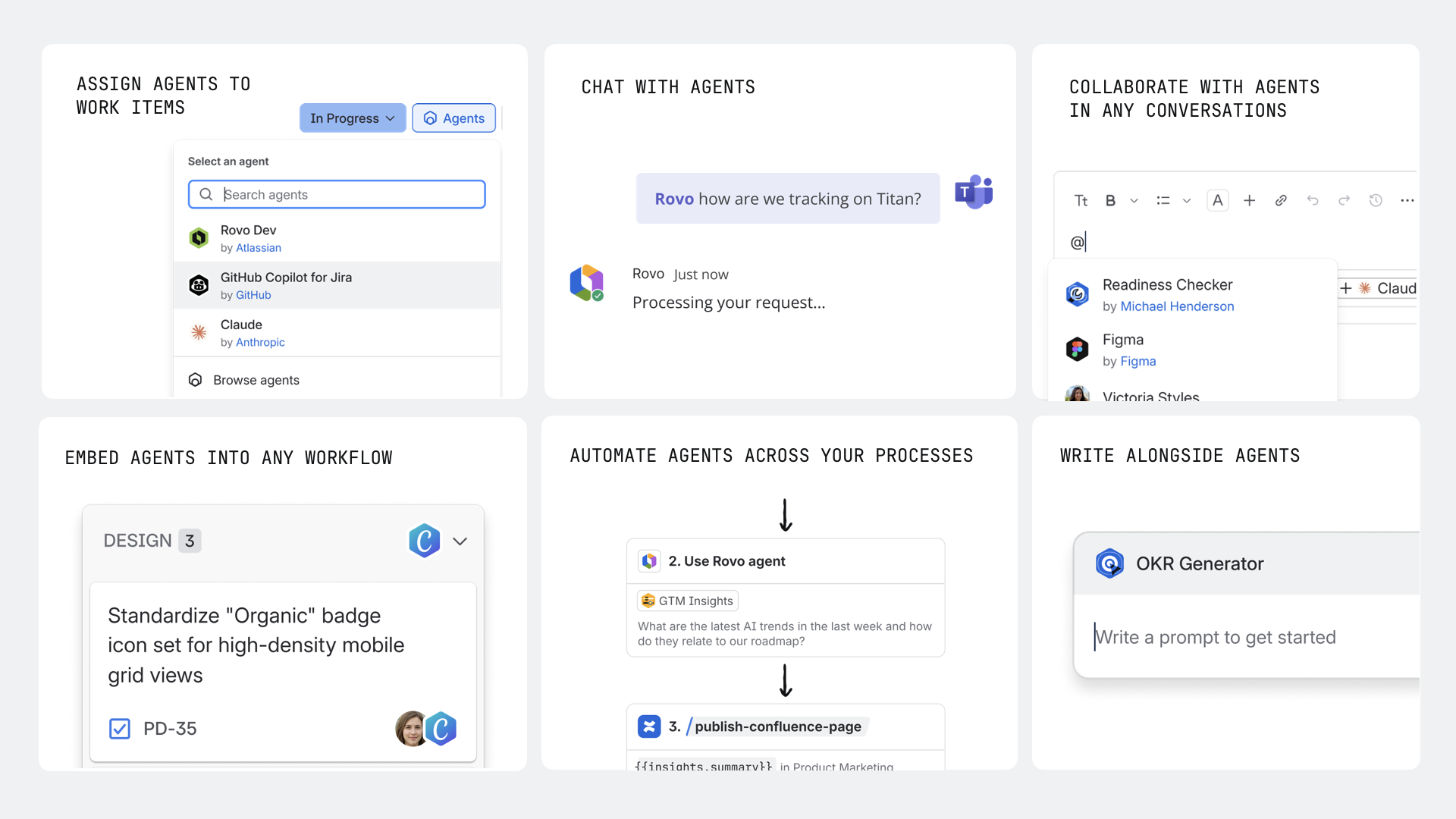
The new Rovo Studio building experience, now generally available, is an enterprise-grade unified workspace where anyone (not just power users or engineers) can shape how the work runs and turn their ideas into agents, automations, and apps that plug straight into the Teamwork Graph.