Xiaomi Pad 8 Pro review

Airport security dropped my “second screen” that I use religiously while on the road at technology conferences.
Okay, maybe it got squished in between my laptop and my back or just wore out as a result of too many trips, aircraft locker dumps and other heavy-duty life experiences while on the road. Either way, I ended up traversing the tech sections of various Best Buy and Walmart stores this spring-summer season trying to replace it.
The trouble is, every store wants to sell you a laptop, a Chromebook or a tablet with a keyboard these days… so I grabbed a Xiaomi Pad 8 Pro as my work-life-extender instead.
The device comes with what the manufacturer promises is “PC-level productivity software” and that’s not far off what it is i.e. it’s pretty easy to work on a high-end tablet these days and the form factor here is nice – it’s solid and the screen is bright and easy to use.
Xiaomi AI
Xiaomi has (of course) added AI into the mix now and the Pad 8 Pro offers AI that works with system-wide intelligence, fusing native capabilities with an AI agent that works in harmony with the device.
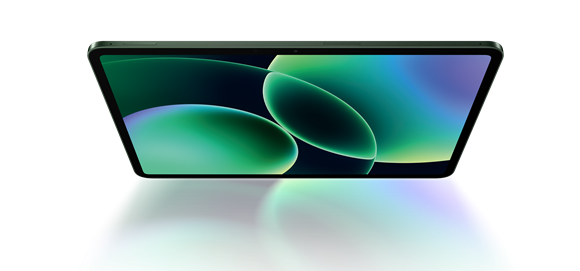
The manufacturer has built this device with the latest iteration of the Snapdragon 8 Gen 5 Mobile Platform – that actually means that the 3 nm chip inside brings custom Oryon CPU power, 46% faster NPU A, and console-grade mobile gaming. An 11.2-inch LCD panel supports 3.2K resolution, a 3:2 aspect ratio, a 144Hz refresh rate.
There’s a 13-megapixel rear camera and an 8-megapixel front camera, but given that most of us would never walk around taking pictures with a tablet, one can’t helps wondering why Xiaomi didn’t put those on the other way around.
HyperOS 3
While desktop users will think about Windows vs. Mac (and some on Linux), it’s typically not a focal point for mobile users. Regardless, though, let’s remember that the Xiaomi Pad 8 Pro runs Xiaomi HyperOS 3, an operating system built on cross-device and cross-ecosystem interconnectivity with system-wide AI features.
 At the kernel level, the OS offers an optimised hot spot instruction compiler that delivers higher efficiency… and over 100 system-wide animations have been refined for a more fluid look and a visual experience.
I wanted to work on the device (okay, a few games and some TV use perhaps), so it’s pleasing to find Workstation Mode on Xiaomi Pad 8 Pro has been upgraded, expanding the number of apps that can be retained in the dock to display more quick-access apps.
There are also more split-screen modes, so with Split-Screen Quick Switch, apps can be laid out in a 1:9 ratio, enabling fast switching between the two. The Vertical Split-Screen option means users can watch videos on the top and take notes on the bottom.
AI Speech Recognition
I used this device to track my interview work at SAP Sapphire this year and the AI Speech Recognition was really one of the things I enjoyed most.
The enhanced voice functions helped to reduce background noise in a noisy Orlando conference call so that I could hear voices more clearly during playback. The AI also allowed me to convert speech to text while recording, so its transcription function was there to rival any use of Otter, the app much beloved of so many journalists.
This app also gave a summary of interviews when meetings ended, you can’t argue with that for nice. There’s also an AI interpreter, AI subtitles and an AI translation conversation function that works offline, for face-to-face conversations.
I mentioned the PC-level productivity claims from Xiaomi and these include what is said to be a PC-level browser, which mirrors a desktop layout, with an upgraded toolbar and bookmarks bar, and supports drag-and-drop for organising tabs.
 “Hover to preview, right-click for instant access to functions. Over 40 keyboard shortcuts for more efficient, intuitive operations. Zoom webpages freely and drag-and-drop file attachments for enhanced flexibility. Compatible with WPS Office PC for all-in-one productivity,” reads the device notes.
Other specs to note
Height: 251.22mm; Width: 173.42mm; Thickness: 5.75mm(standard version); 5.8mm(matte glass version); Weight: 485g(standard version); 494g(matte glass version); 85.4% screen-to-body ratio; standard version: 8GB + 128GB, 8GB + 256GB, 12GB + 512GBMatte glass version: 12GB + 512GB8GB.
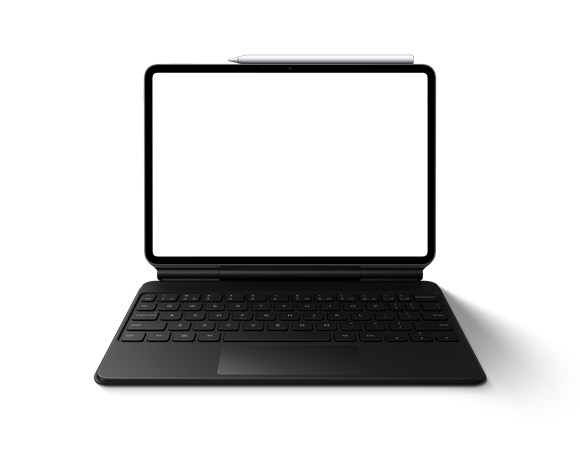
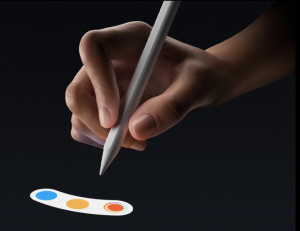
A Xiaomi Pad 8 / 8 Pro Focus Keyboard is also available, but I’m using a third-party Logitech keyboard with mine. A very workable stylus is also included, but I’m predominantly using touch and a keyboard and a Bluetooth mouse as well.
The device costs £449 currently from online stores at the time of writing.